

Concept, interface & implementation
From the first question
to a useful answer.
A working local demonstration, illustrated with selected details from the application.
Open the interactive demo (opens in a new tab)01 / Concept & purpose
A useful conversation starts with a clear question.
Baseform is a standalone form-builder demonstration created for the Cosilan Systems portfolio. Its premise is straightforward: give someone a calm, practical place to assemble a form, understand the respondent experience and work with the answers. Customer feedback, project enquiries and workshop registrations provide recognisable situations for exploring that workflow. The application is functional throughout, with an explicit demonstration label and fictional sample information that make its purpose clear from the first screen.
The dashboard establishes the workspace before asking the visitor to build anything. Form totals, response counts, views and completion appear alongside a response-history chart and recently edited forms. These figures come from the local data model. The initial workspace contains six forms and sixty-four illustrative responses across a defined October 2026 sample period. It is an immediate starting point for exploration, rather than evidence of commercial adoption or a claim about customer results.
02 / Workspace & navigation
Give every form a recognisable place.
The form collection is organised around everyday decisions: find an existing form, continue editing a draft or start something new. Cards show the title, description, status, field count and response total. Live, draft and archived states use written labels as well as colour. Search and status filters narrow the collection, while a list view offers a more compact alternative. Empty results explain what happened and provide a useful next step.
The visual language combines the supplied Baseform identity with a restrained navy and violet palette. White working surfaces sit against a soft neutral background, with violet reserved for primary actions and selected states. Consistent spacing, quiet borders and reusable controls keep attention on the questions and responses. The persistent navigation separates building, reviewing and understanding activity, so the same workspace remains legible as the visitor moves between different kinds of work.
03 / Form creation & configuration
Build the structure. Refine the details.
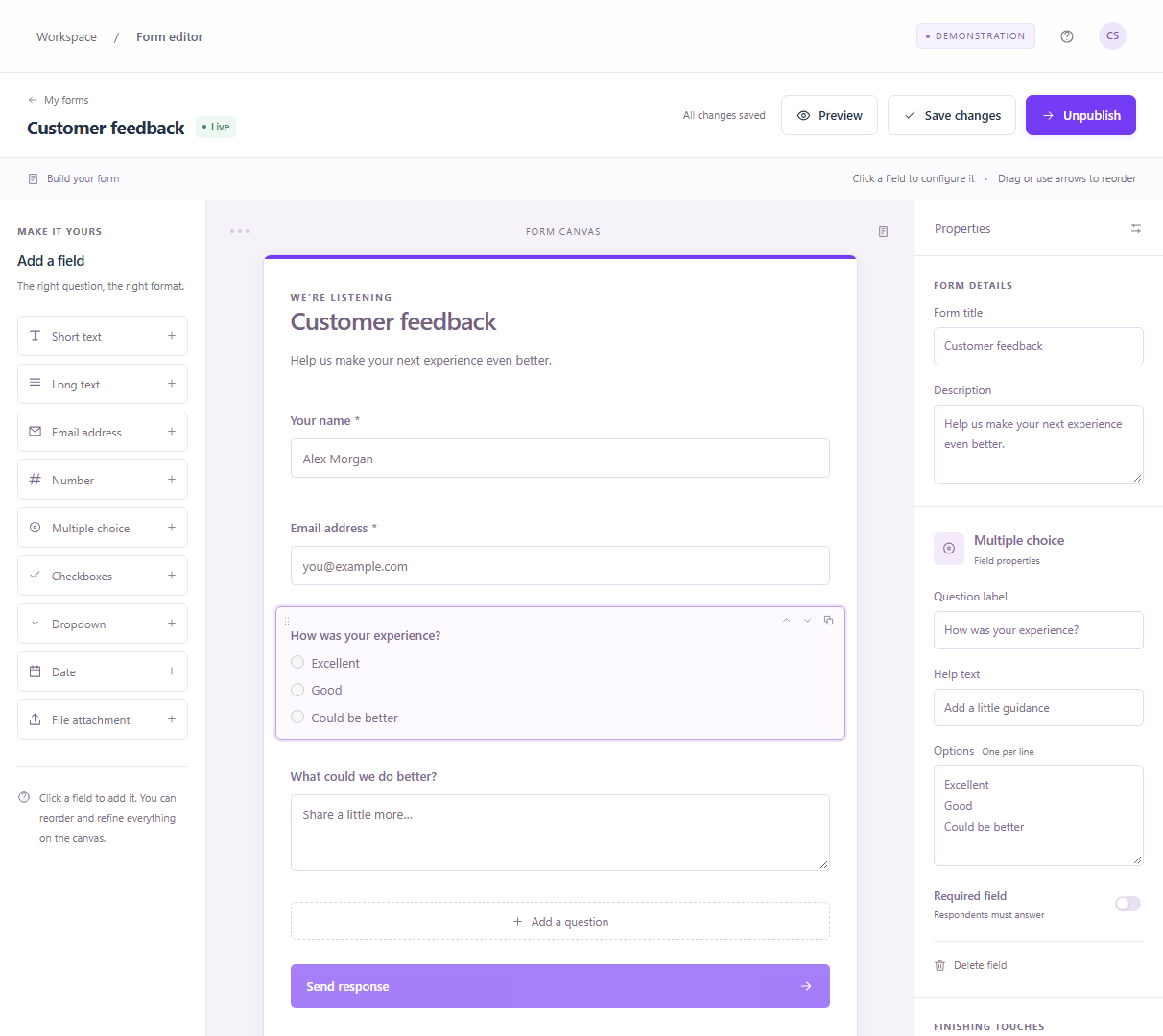
The editor uses three working areas: a field library, a central canvas and a properties panel. Nine field types cover short and long text, email, numbers, dates, multiple choice, checkboxes, dropdowns and file attachments. Fields can be added by clicking or dragging, then reordered using drag interactions or explicit arrow controls. Duplication makes repeated structures quicker to assemble, and deletion keeps the form easy to revise without restarting the whole design.
Selecting a field exposes its label, help text, placeholder, options and required setting where relevant. Form-level settings cover the title, description, accent colour, submit button and thank-you message. Changes update the canvas immediately, while saving and publishing remain deliberate actions with visible feedback. Navigation warns about unsaved edits and offers save, discard or stay choices. Publication is confined to the local demonstration; it enables the response workflow without creating an externally hosted form.
04 / Live preview & respondent experience
Experience the form before collecting answers.
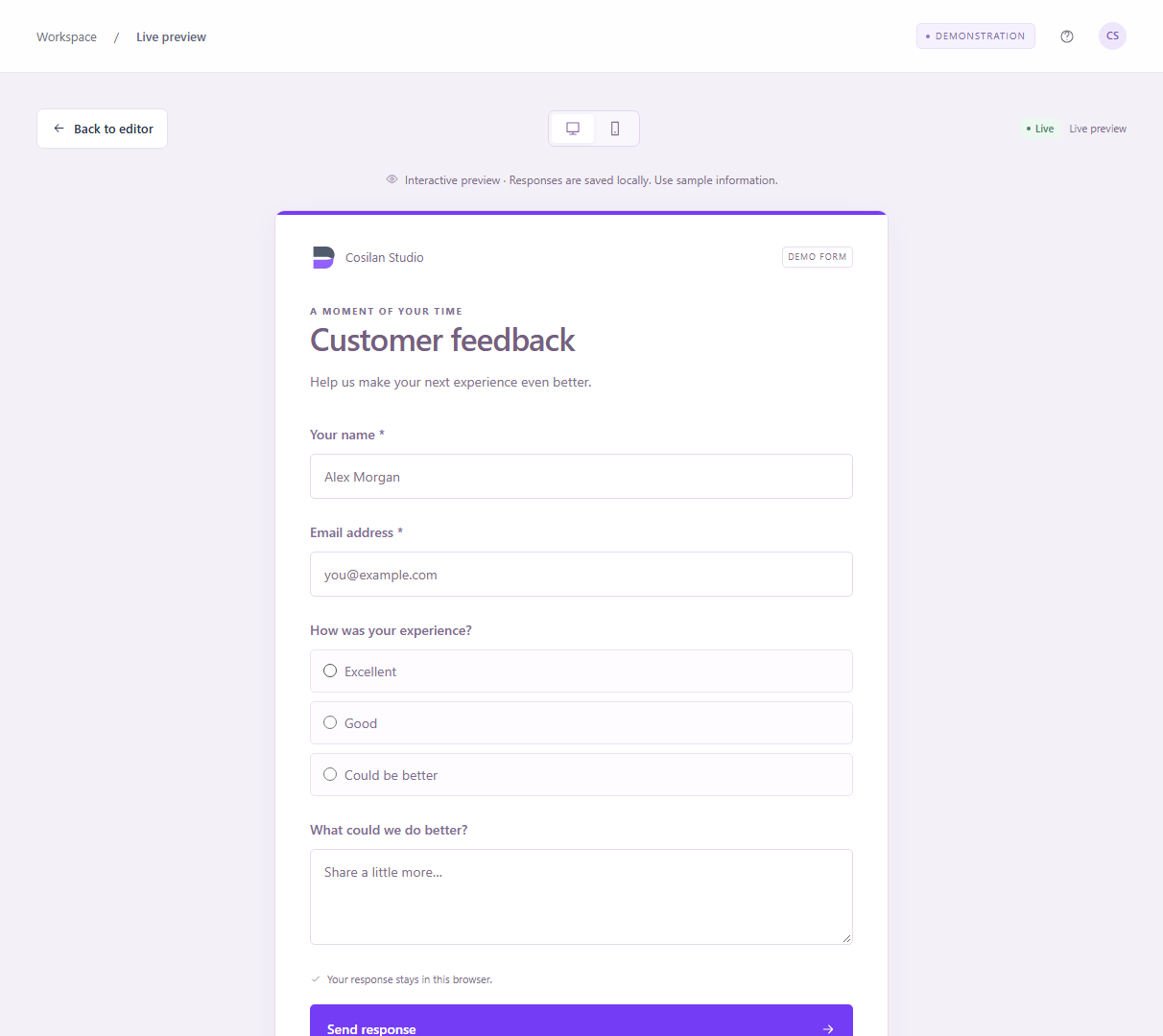
The preview is rendered from the same field definitions as the editor. It supports a wider desktop presentation and a narrow mobile frame, while the surrounding application also adapts to smaller screens. Clear labels, required indicators and supporting text explain what each question needs. Native input types provide email, numeric and date validation. Required checkbox groups receive an additional check, preventing an apparently complete form from accepting an empty group.
Submitting a live form writes a response into the local workspace and displays the configured confirmation message. Draft forms can be tested without adding a submission, and archived forms explain that responses are closed. File fields demonstrate selection while retaining only the filename; file contents are never uploaded or stored. This boundary is visible beside the control. The result demonstrates the complete respondent journey while keeping the local application small and easy to inspect.
05 / Submissions & export
Turn collected answers into usable records.
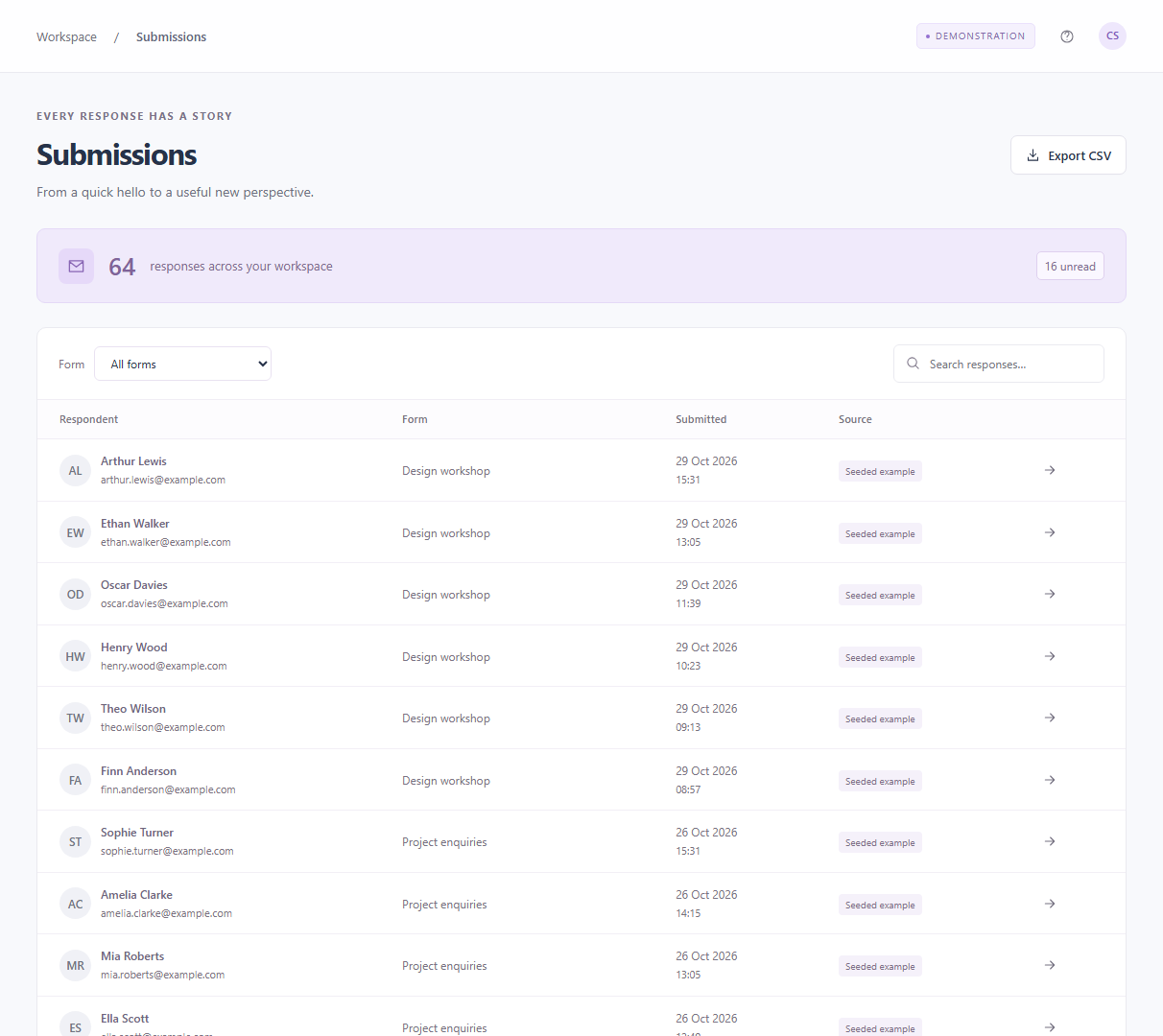
Submissions bring the answers back into the workspace. The table presents the respondent, form, submission date and source, with unread indicators to help visitors explore new responses. Form filters and text search narrow the records without changing their underlying content. Fictional seeded examples and responses submitted through the local preview carry different source labels. Dates use an explicit London timezone, providing a consistent interpretation across the collection and individual response details.
CSV export downloads the selected form's full response set, including response identifiers, timestamps, source labels and question columns. It preserves quotes, commas, multiline text and multiple selections, and adds a UTF-8 marker for spreadsheet compatibility. Values that could be interpreted as spreadsheet formulas are prefixed defensively. Export is a practical end to the demonstration workflow: a visitor can create a form, submit an answer and open that answer outside the application using an ordinary local file.
06 / Record integrity & interaction design
Keep the context beside the answer.
Opening a response reveals a focused detail drawer, keeping the submission in the context of its form and date. Each answer is displayed alongside its question, and opening the record marks it as read. Deletion requires an explicit confirmation and updates the stored data and derived analytics. Dialogs and drawers contain keyboard focus, support Escape and make the background inert while open, helping the interface remain understandable when attention shifts into a temporary working surface.
A response stores a snapshot of its field definitions as well as the answers themselves. That small modelling decision matters: changing or removing a question later should not erase the meaning of an earlier submission. Stable field identifiers connect values to questions, while the captured labels preserve the historical context. User-supplied text is escaped before it enters rendered markup. These details support a credible demonstration of record handling without introducing a database or a larger application framework.
07 / Analytics & architecture
Keep the numbers connected to their source.
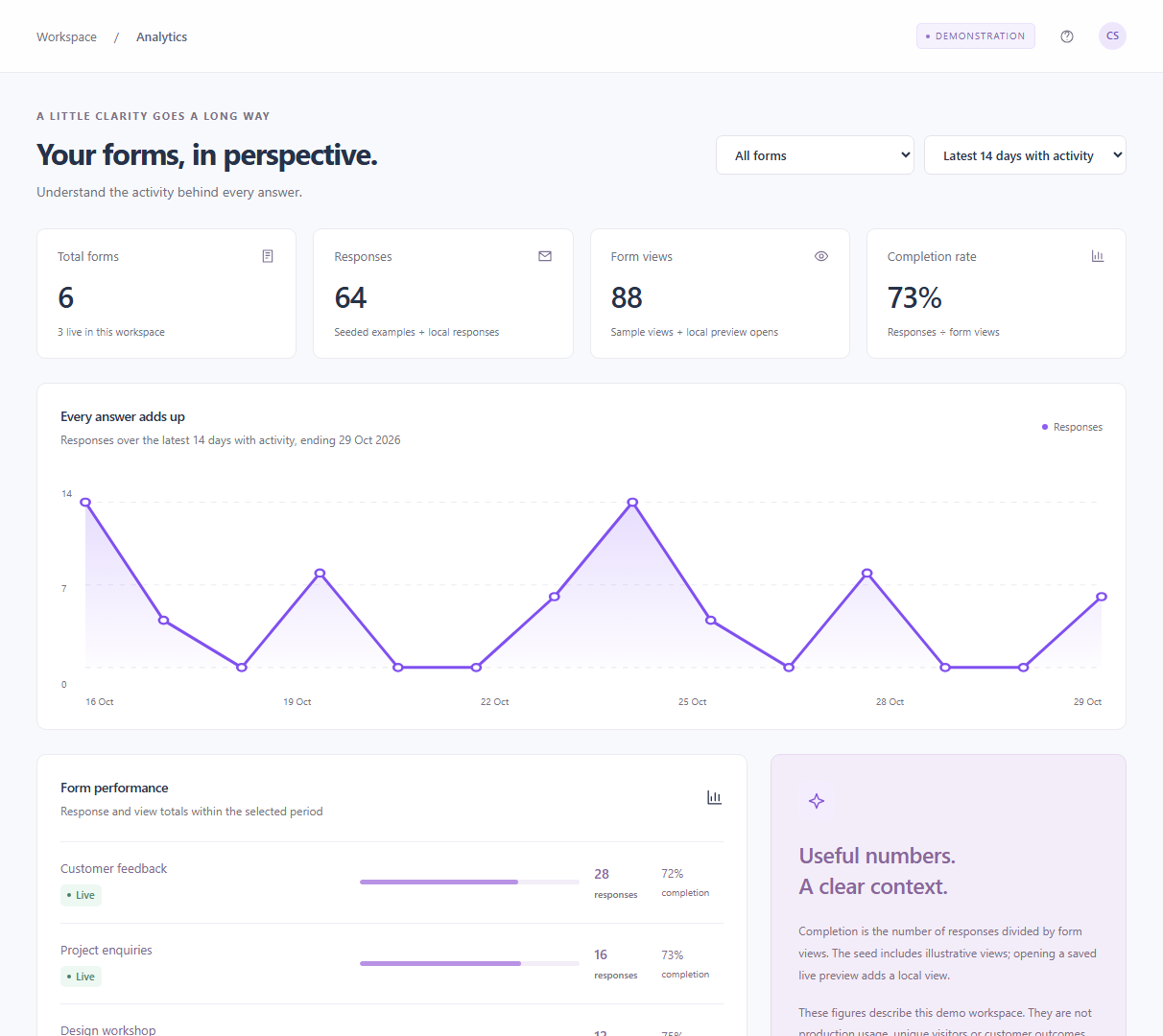
Analytics makes the relationship between the activity and its summary explicit. Response history, form performance and completion are calculated from stored submissions and view events. The initial views are illustrative; opening a saved live preview adds a local view. Completion is responses divided by views, and the interface explains that this is neither unique-visitor measurement nor production telemetry. Form selectors and date ranges let visitors inspect the latest fourteen or thirty days with recorded activity.
The architecture deliberately stays modest: static HTML, CSS, browser-native JavaScript modules and a small Node.js server for local development. A separate model module owns form creation, seeded records, metrics and CSV generation. The interface renders from that model and persists workspace changes in versioned localStorage. There are no runtime packages, accounts, API credentials or external service calls. A workspace reset restores the initial scenario, making repeated demonstrations straightforward and keeping the implementation approachable for another developer.
08 / Development approach & verification
A complete demonstration, with clear boundaries.
Development followed the workflow from the first question to the exported record. Four editable templates establish useful defaults for feedback, enquiries, events and research, while blank creation leaves the structure entirely open. Shared field definitions keep the editor, preview and response handling aligned. Reusable interface patterns provide consistent buttons, status labels, navigation and feedback. Responsive layouts rearrange the editor and simplify navigation, allowing the same demonstration to be explored without relying on a desktop-sized viewport.
Verification combines model tests with Playwright checks of creation, configuration, saving, publishing, required-field validation, submission, record inspection, deletion, filtering, CSV download and reset. Browser checks also examine responsive screens, resource loading and JavaScript errors. The selected images in this case study are genuine captures from the running local application. Baseform demonstrates product thinking and implementation through a working example; authentication, shared storage, real file handling and production operations would require a separate delivery scope.