

The product, in depth
A little more room to think.
Heaps brings notes, checklists, visual boards, saved resources, and focus timers together in one welcoming study workspace. Built with ADHD study needs in mind, it gives scattered thoughts a home and makes it easier to choose one manageable next step. Start without an account, make the space your own, and go at your pace.
01 / The idea behind Heaps
A home for the thoughts you want to keep.
Some days, getting started is the hardest part. There are notes in one place, useful links in another, and a growing collection of things you meant to come back to. Before you have even begun studying, there is already a lot to keep in your head.
Heaps gives those thoughts a little room.
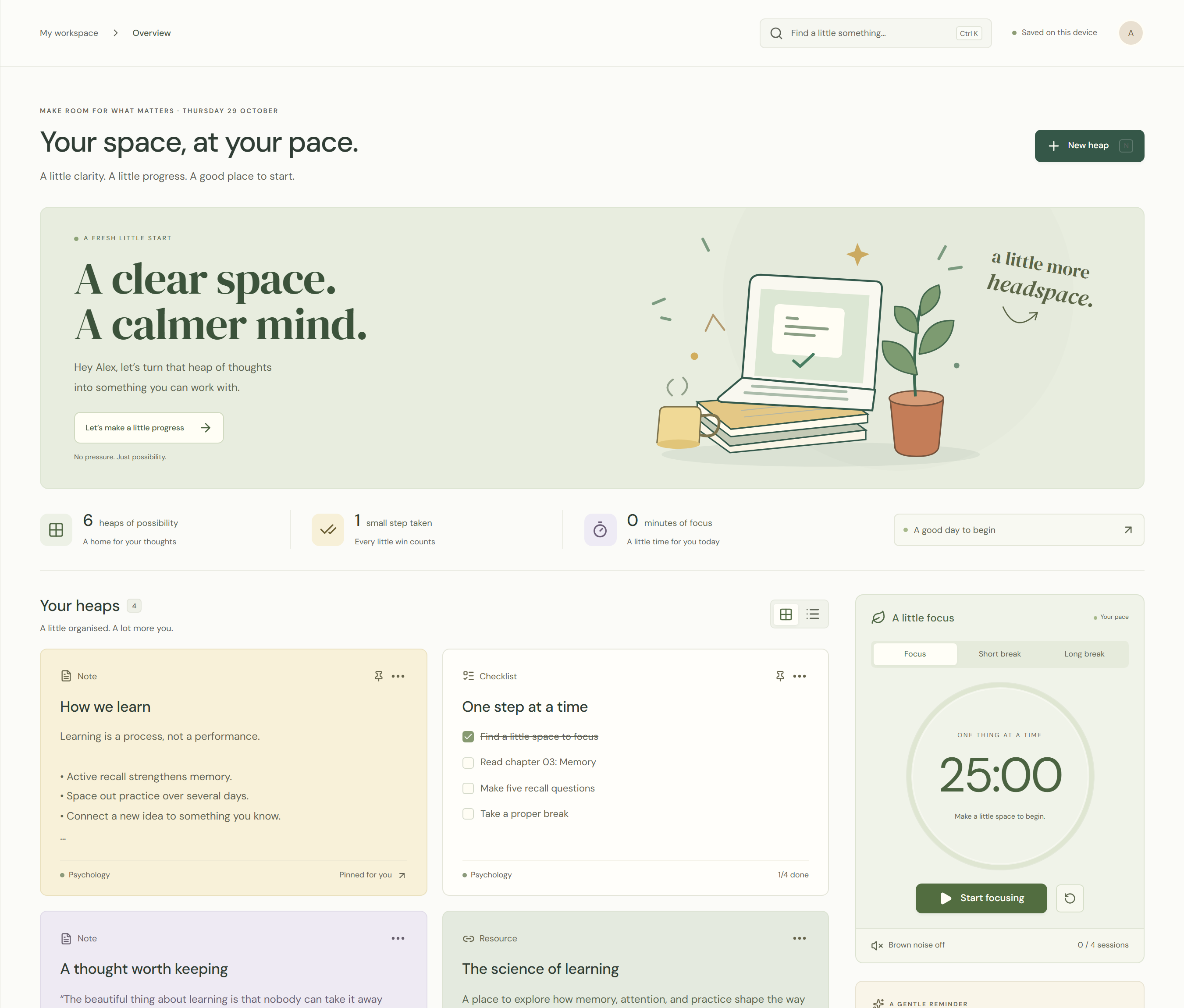
Created by Cosilan Systems, Heaps is a visual study and thinking workspace that brings your materials, next steps, and focus tools together. It is a place to gather an idea before you lose it, break a task into something manageable, and spend a little time learning without needing a perfect plan first.
The experience began with ADHD study needs in mind: make information visible, keep the next step clear, and leave room for different ways of thinking. Whether you are revising for an exam, exploring a new subject, working through a personal project, or simply looking for a calmer way to organise your thoughts, you are welcome here.
02 / Capturing a thought
Get it out of your head. Into a heap.
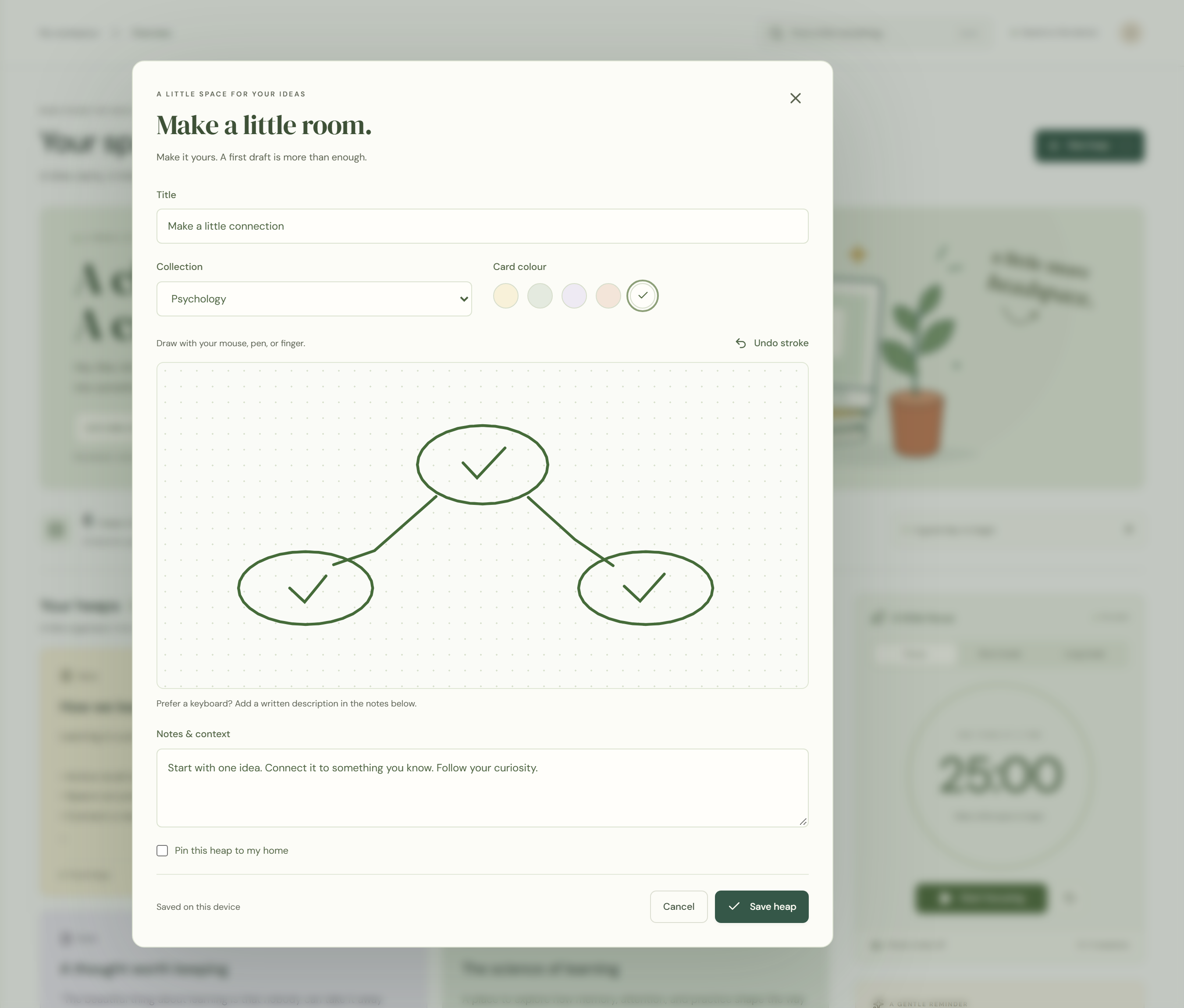
A heap is a small home for something you want to keep, understand, or do. It could be a lecture summary, a few questions to test yourself, a reading link, a drawing, or a short list of steps for your next session.
Choose the format that fits the thought. Notes give you room to write. Checklists turn a large intention into smaller actions. Resource cards keep useful webpages within reach. Image cards bring in visual references, document cards hold links to reading material, and whiteboards offer a space to sketch a connection or think through an idea visually.
Give each heap a title, choose a soft card colour, and put it in the right collection. Pin an important thought to keep it close. You can come back, change your mind, and reshape the space as your understanding grows.
03 / Collections & canvas
A home for every interest.
Learning rarely stays inside one tidy category. You might be studying psychology, collecting design ideas, and making time for personal reading, all in the same week.
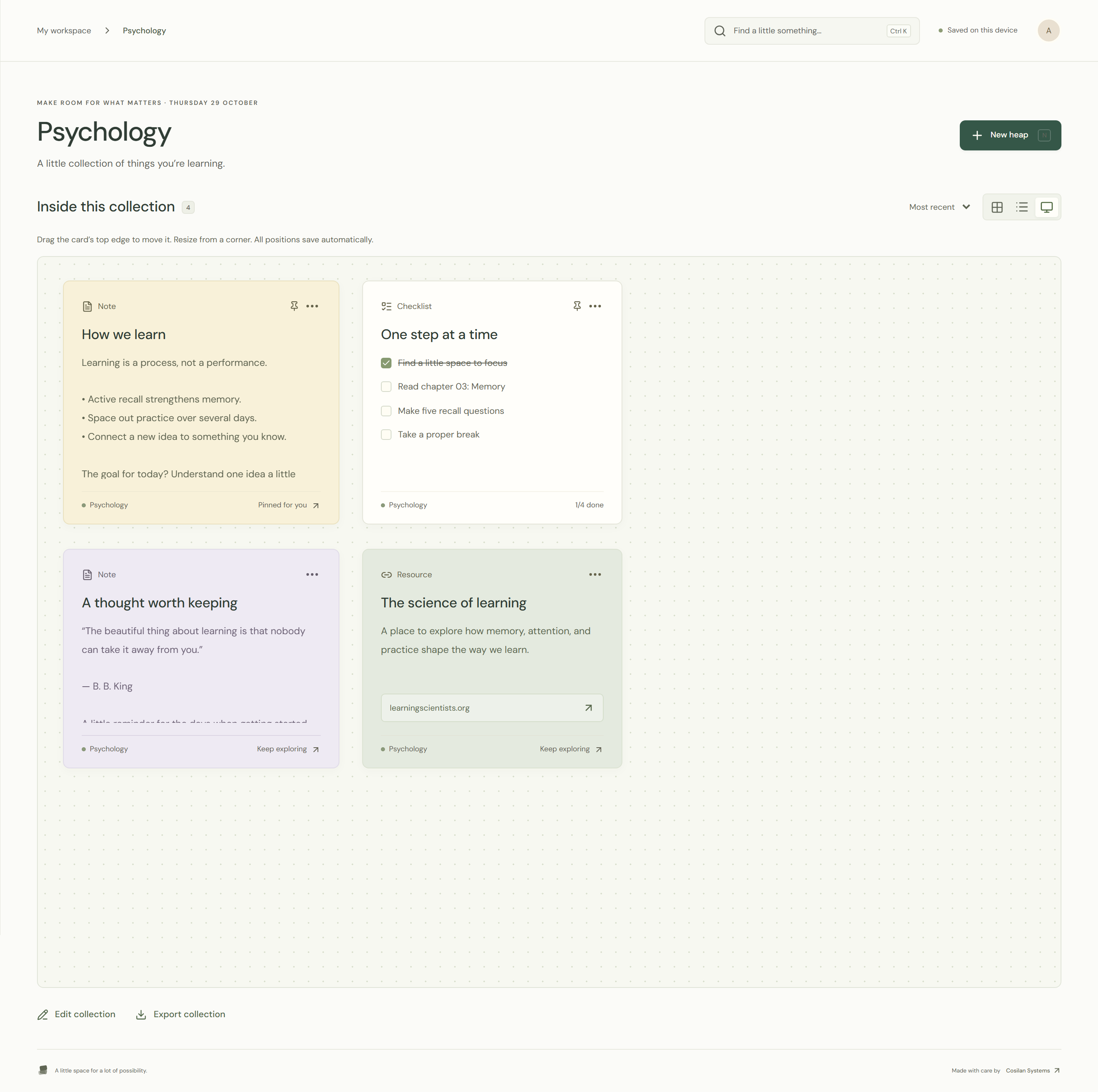
Collections give each interest its own place. Gather related heaps into a subject, project, or area of curiosity, and move between them from the sidebar. See your collection as an organised grid, scan it as a list, or open its visual canvas to arrange and resize cards yourself.
Place a note beside a resource. Keep a checklist next to the ideas it belongs to. Build a layout that reflects the way you think. When you want to find something again, search across titles, note content, and checklist items from the workspace search bar.
04 / Focus & breaks
One thing. One little session.
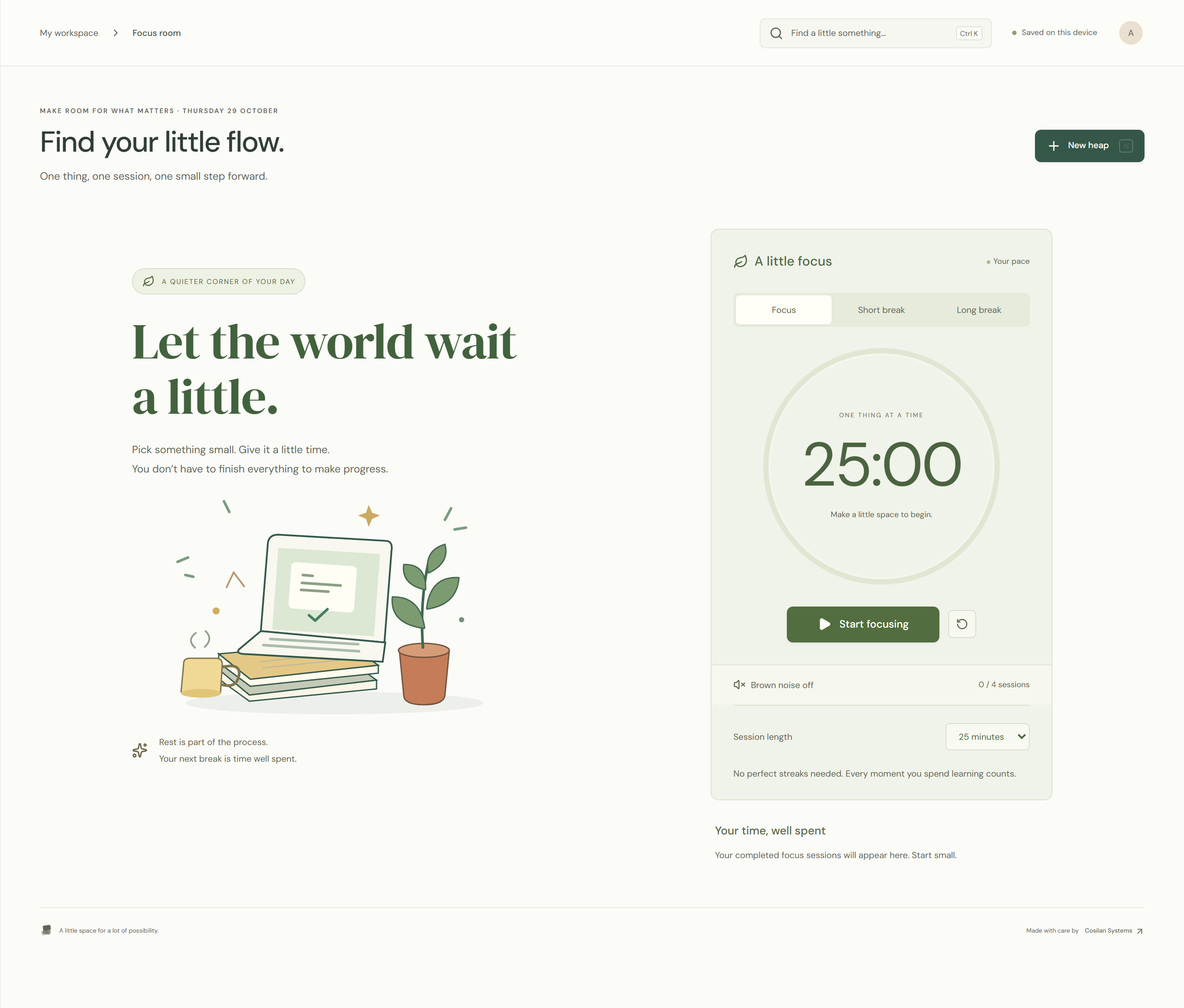
The focus room is a quieter corner of Heaps. Choose a session length, press start, and give one small thing your attention. Familiar focus and break presets make it easy to begin; adjustable session lengths let you find a rhythm that suits the day.
Turn on gentle brown noise if you want a background sound. Pause when you need to, reset when you want a fresh start, and switch to a short or long break when it is time to rest. The timer continues when you move around the app or reload the page, and completed focus sessions contribute to your daily focus total.
There is no need to turn every day into a perfect streak. A little time spent learning still counts. So does taking a proper break.
05 / A place to begin
A starting point when the page feels too blank.
Sometimes you know what you want to do but need a little help beginning. Heaps includes editable templates for a gentle study plan, an active recall note, and a simple brain dump.
Use the study plan to outline a few achievable steps. Use the recall note to write questions you can revisit. Or get everything out of your head before deciding what belongs where. Each template opens as an editable draft, so you can make it yours before saving it.
06 / Personal space
A space that feels like you.
Heaps pairs warm, paper-like surfaces with soft sage, butter, peach, and lavender cards. Clear navigation and consistent controls make the workspace predictable. The interface adapts to smaller screens, and the main study and editing flows support keyboard navigation, visible focus states, and reduced motion preferences.
Set your name, choose an accent colour, and decide on a personal focus intention. Keep an overview of your heaps, completed checklist items, and the time you have spent focusing today. It is a useful picture of what is happening in your workspace, without asking you to manage another complicated system.
07 / Saving & portability
Start simply. Keep your ideas within reach.
The redesigned Heaps workspace is ready to explore without an account. A few example heaps provide a starting point; edit them, replace them, or build a collection of your own.
Your workspace saves in the browser on the device you are using. Export a backup when you want a portable copy, then import it into another browser or device. Backups include your collections, heaps, preferences, and focus session history. An import asks you to confirm before replacing the current workspace, and a recently deleted heap can be restored with Undo.
Heaps is built around a simple invitation: make a little room for what matters. You do not need to have everything figured out. Find one thought, one question, or one small step, and begin there.
Heaps by Cosilan Systems. Your space, at your pace.