The product, in depth
A closer look at the signals in a recording.
VFrame brings voice and face signals into a local workspace for inspecting recordings and live capture. The studio connects camera input, face detection, audio measurements and a session timeline, while reports provide another way to review the information and carry a summary outside the application.
Its scope is intentionally specific. Vocal level, estimated pitch, energy-based activity and visible faces are observable signals to examine. They are not a way to establish what somebody feels, thinks or intends. The supplied captures show a working local product preview, with that distinction kept visible throughout the story.
01 / The signal workspace
Bring the media and its measurements into one view.
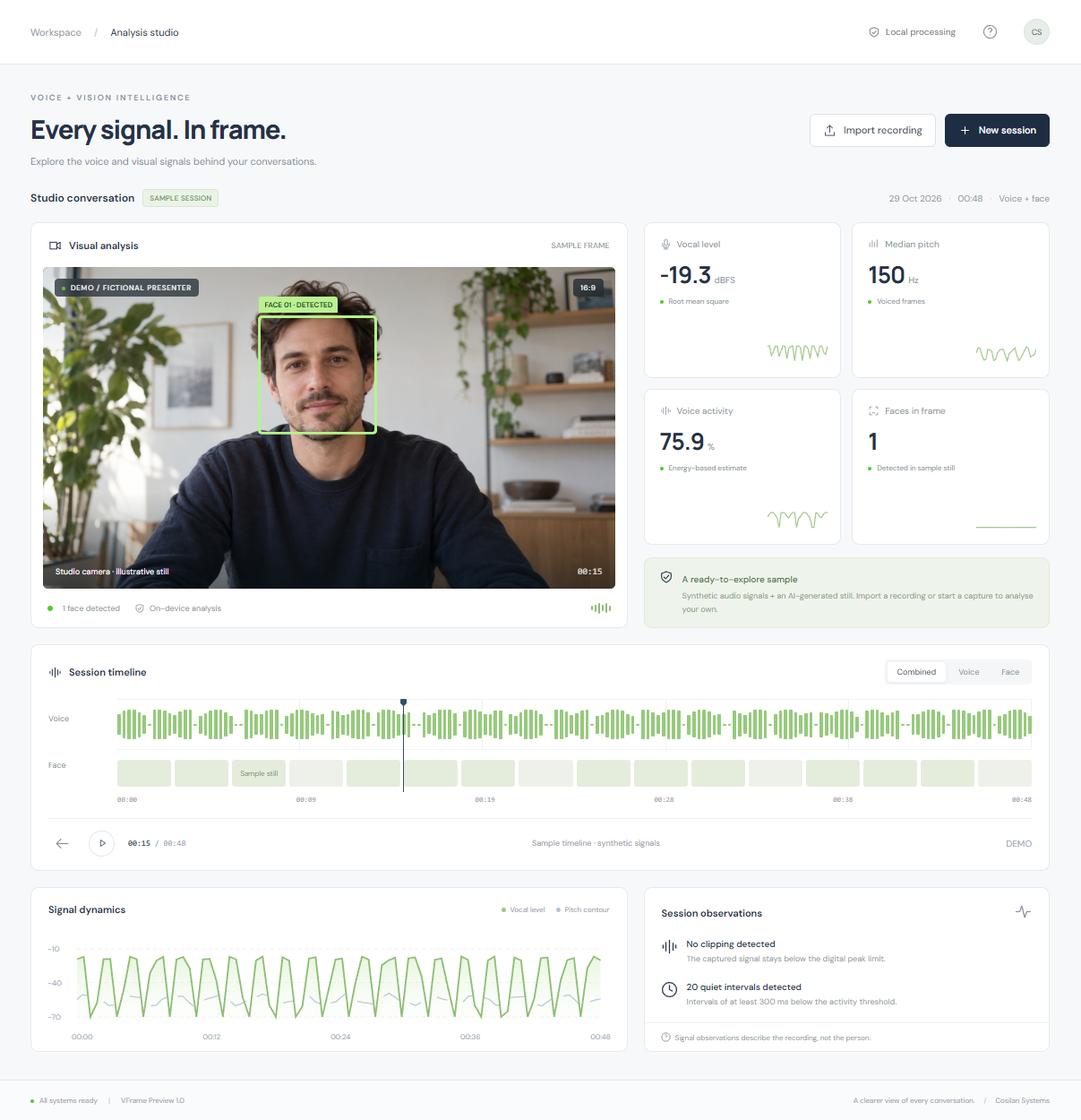
The studio gives a session a shared frame of reference. A camera preview and face detection sit alongside audio measurements, signal dynamics and a timeline. Instead of looking at a recording as one undifferentiated file, the user can inspect the measurements associated with it and move between the studio and a more structured report. Interviews, presentations, creative recordings and camera setups are recognisable contexts for that kind of inspection.
The included sample makes the distinction between media and analysis explicit. It combines synthetic audio with an AI-generated fictional still, and the face box is produced by the actual detector. The sample timeline is illustrative and has no spoken audio playback. Those details matter when interpreting the portfolio: the screenshot demonstrates the workspace and its presentation, not the analysis of a real interview participant or evidence of a validated assessment method.
02 / Capture & import
Start with a recording, or capture a short session.
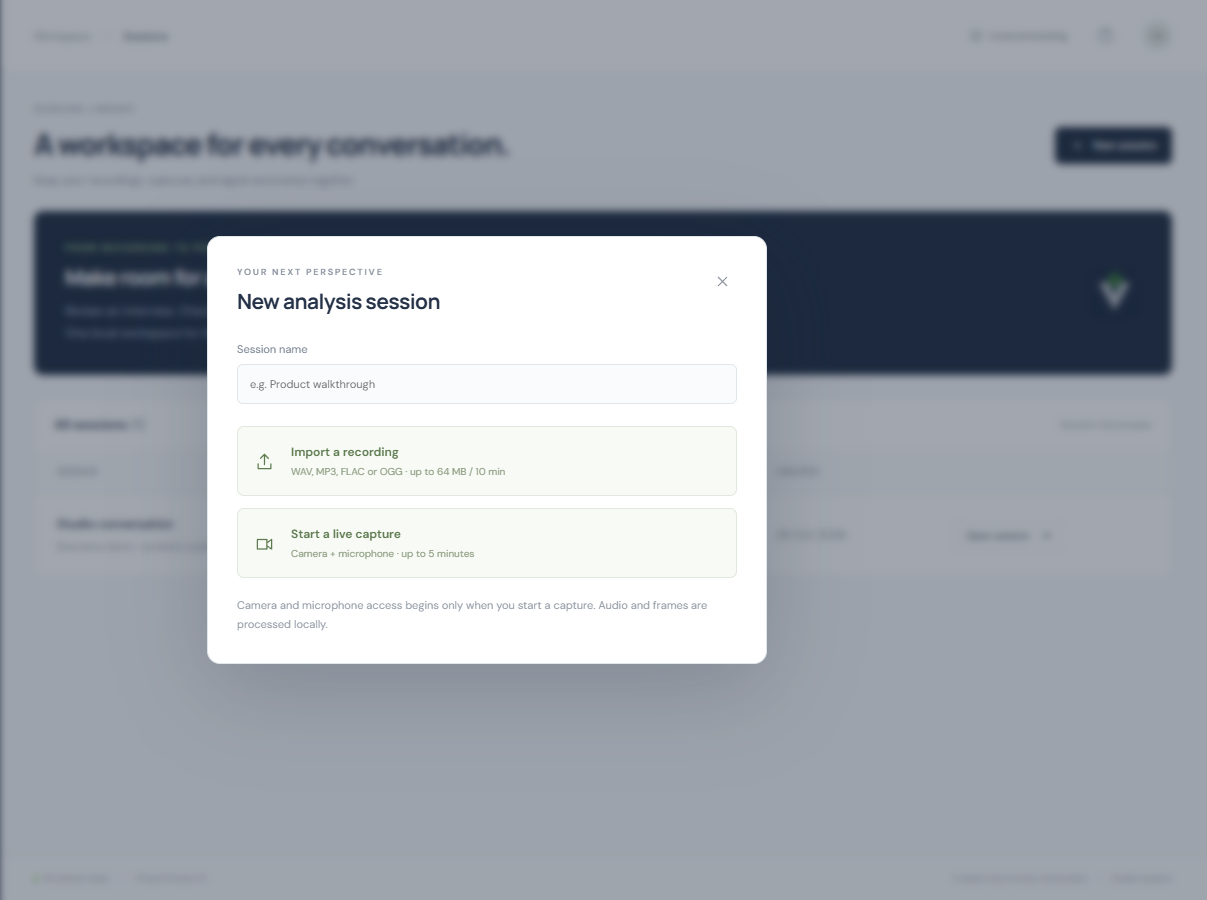
A new session can begin with a recording import or with browser camera and microphone capture. Microphone-only mode provides an alternative when a camera is not available or not needed. The import workflow supports WAV, FLAC, OGG and supported MP3 recordings, giving the user a practical route from an existing audio file into the same review environment used for a captured session.
The preview has clear size and duration boundaries. Imports are limited to 64 MB and ten minutes, while live captures are limited to five minutes. Browser permissions remain part of starting a live session; a portfolio screenshot does not activate the visitor's camera or microphone. After ending a capture, the user can review the recorded audio and its signal summary. The product is a local application preview, not an authenticated recording service or a shared cloud media library.
03 / Reading the measurements
Understand what a number does, and does not, describe.
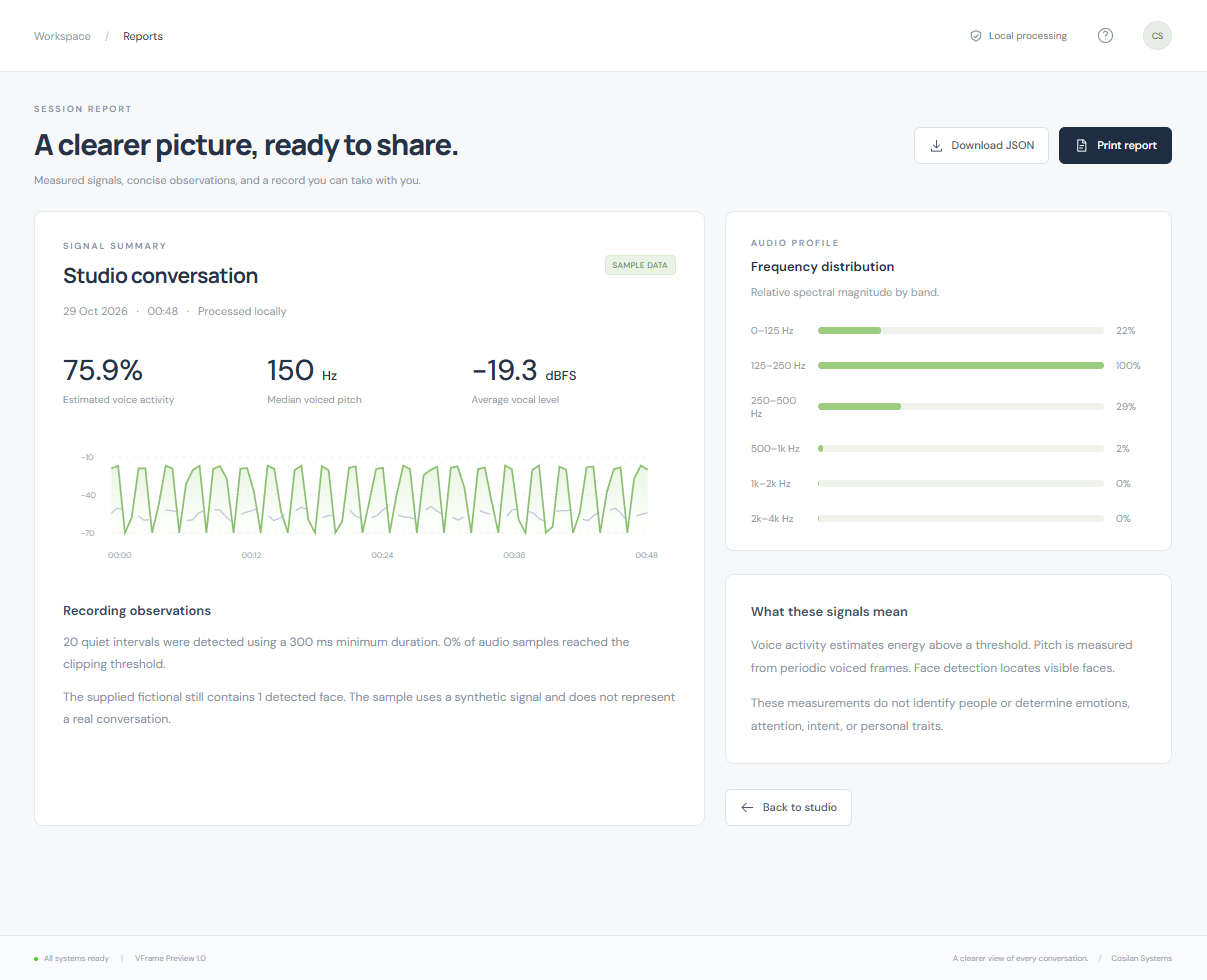
The report brings audio measurements, a frequency profile and session observations into a more structured view. Pitch is estimated using autocorrelation over voiced frames, while audio activity is based on signal energy. These are defined signal-processing tasks. Energy-based activity is not speech transcription, word recognition or speaker separation, and a pitch estimate should be understood within the frames and conditions from which it was calculated.
Level measurements use dBFS, which is relative to the digital signal rather than a calibrated sound-pressure level in a room. Face detection also has practical limits: rotated, obscured or poorly lit faces may be missed. These boundaries keep the interface's measurements in proportion to the questions they can answer. A visible face or a changing audio level does not establish emotion, attention, intent or personality, and VFrame does not identify the people in a recording.
04 / Sessions & reports
Keep a summary you can return to.
The session library provides a way back to previous signal summaries. Up to thirty summaries are retained in browser storage, so the user can reload the workspace and return to the recorded measurements. That is a different promise from preserving the original recording. Original media does not survive a reload or a session switch, and the local preview does not supply a cloud archive for audio or video files.
Reports can be downloaded as structured JSON or printed to PDF. Those routes make the summary portable without turning a screenshot into the only record of the session. The useful handover is the measurement information and its context: something that can be inspected and kept outside the studio. It is not a transcript, a psychological assessment or a claim that the summary alone captures everything that happened during the recording.
05 / Local processing
Keep the processing close to the device.
VFrame's media processing runs on a local Python server, using the project's audio-analysis and computer-vision tooling rather than a cloud inference API. There is no cloud inference key to add to this preview. Frame sampling runs approximately once a second and raw frames are discarded. Browser storage holds session summaries, while the handling of media remains separate from those retained measurement records.
The project demonstrates work across Python, Librosa, OpenCV, browser media capture and the presentation of analytical results. It also illustrates why a product description should distinguish a working local tool from a hosted service. Authentication, team accounts, cloud storage, transcription and billing are not supplied by the prototype. Its contribution is a coherent local capture-and-review workflow with explicit limits, not an implied production service or an independently validated interpretation of human behaviour.